In-store wedding parties
Your group. A clearer next step.
Planning your wedding with our Chattanooga store? In-store wedding parties use the SuitMates app, with fittings and personal help from our team. Ordering everything online instead? Start an online wedding group on our Weddings page.
Organizer setupWhat brings you here?
New in-store organizer
Start your in-store wedding group in SuitMates. Setup continues in the app.
Invited member
Use the personal text or email link from your organizer. It takes you straight to your group.
Ordering online
Ordering everything on our site? Start an online wedding group instead. No app needed.
SuitMates
Invite. Choose. Follow progress.
A quick look at how SuitMates brings your party’s details together.
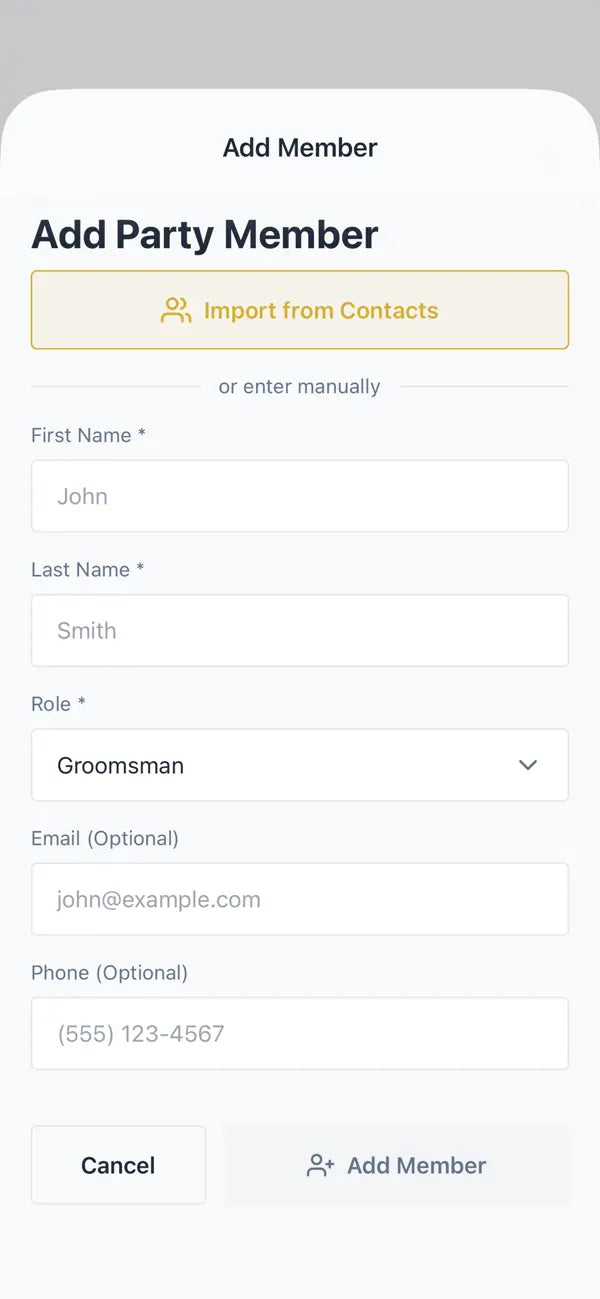
Invite your group
Send each member a text or email link.
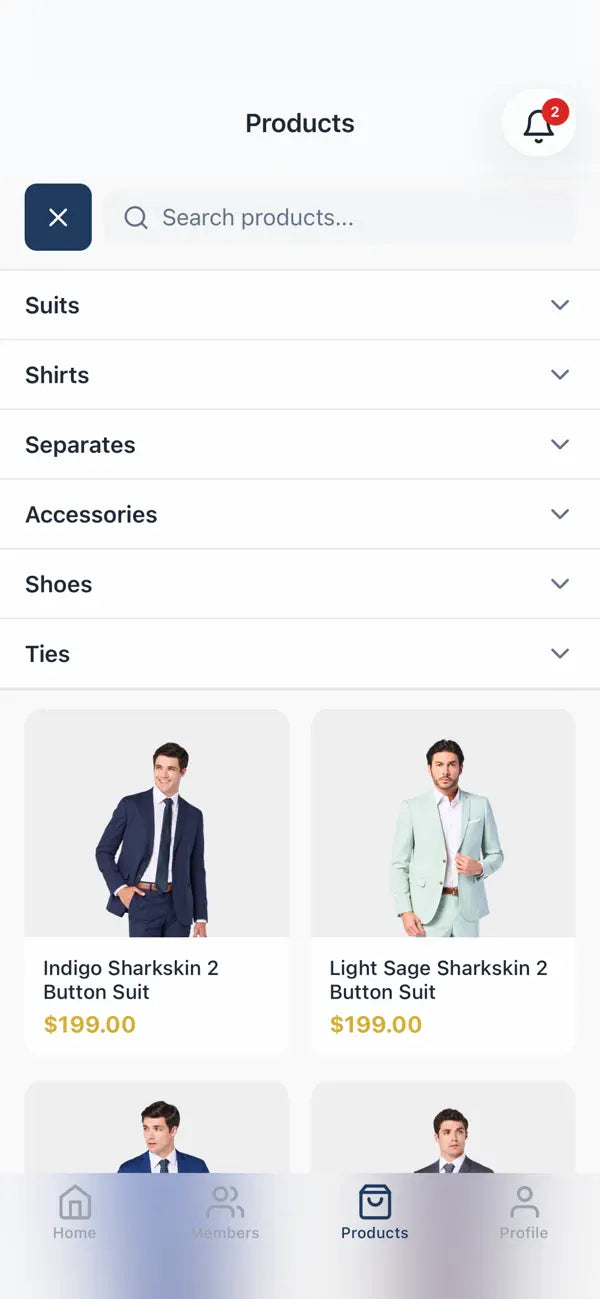
Choose the look
Choose a coordinated look for the whole party.
See progress
See who has submitted sizes and paid.
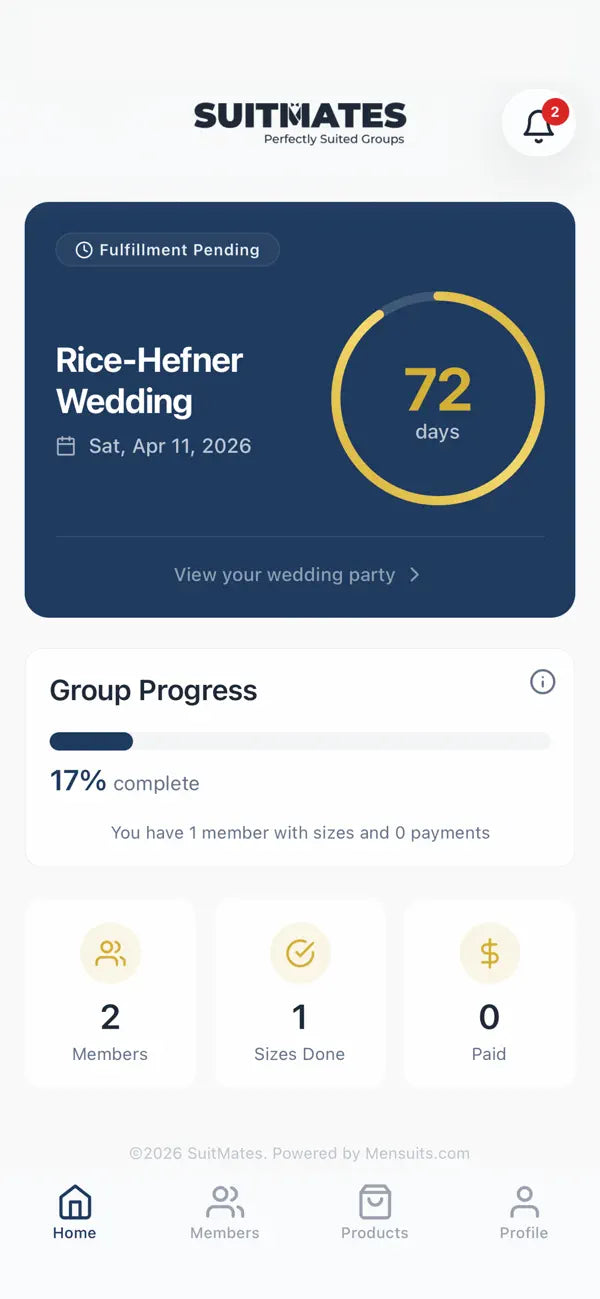
SuitMates app · example screens
Organizers use SuitMates. Invited members return through their organizer’s link. Choose your next step in our organizer and member guide.
A MenSuits wedding customer
“I ordered a suit for my wedding and I couldn’t be happier.”
For organizers
Start your group in SuitMates.
Download SuitMates from the App Store for iPhone and iPad or Google Play for Android. These links open the app stores; setup continues in the app.
Follow the app prompts to invite your party, choose the look and track size and payment progress. Members who live out of town can have their order shipped, and anyone who can come in is welcome at the store for fittings.
Returning organizer
Pick up where your group left off.
Reopen SuitMates and sign in with the account you used for your group, and your group will be there.
If it’s missing or setup stalls, contact our team with your event date and organizer’s name.
For invited members
Your invitation is your way back.
- Open your personal link. Return through the text or email from your organizer; you don’t need to create another group.
- Check the assigned look. Follow the size prompts. Your chest measurement is your jacket size and your waist is your pant size.
- Complete the requested details. Review your delivery information and any payment requested. Keep the invitation for your next visit.
After checking the Fit Guide, return through your original invitation to continue.
Missing a size or seeing the wrong group? Contact our team before paying.
Invitation help
Ask for your invitation again.
Ask your organizer to resend the personal text or email invitation. That link returns you to the correct group and assigned look.
If the link opens the wrong group or doesn’t load, contact our team before paying and we’ll fix it. Have your event date and organizer’s name ready.
Your party’s perks, from our team.
In-store wedding parties get fittings and personal help from our Chattanooga team, who will walk you through your party’s perks when you set up your group.
Ordering everything online instead? Online wedding groups are set up on our Weddings page.
A clear handoff. Help when you need it.
Your in-store group lives in the SuitMates app. Organizers set it up there, and invited members join through their organizer’s link.
Before sharing group details, review the SuitMates privacy policy and terms. For setup or invitation help, contact our team with your event date and organizer’s name.
Personal group support
Need a hand getting everyone ready?
We can help with the look, sizing, fittings and your group’s next step. Have your event date and organizer’s name ready.